

Invoicing for people who do the work,
not the paperwork.
Create, send, and track professional invoices in minutes. No accounting degree required.
No contracts. Cancel anytime.
Built for you if…
You freelance.
Designers, developers, writers, photographers — anyone billing clients for their time or deliverables.
You contract.
Tradespeople, consultants, agencies — you have multiple clients and need to stay organized without a full accounting suite.
You just started.
You've been sending invoices from a Word doc or spreadsheet. It's time to look like you mean business.
Built by people who've been on both sides of an invoice.
Everything you actually need.
No accounting suite. No bloat. Just invoicing that works.
Build an invoice. Send it. Done.
- Line items with name, description, quantity, rate — totals auto-calculate
- Apply a flat or percentage discount before tax
- Payment terms (Net 15, Net 30, Due on Receipt) auto-set the due date
- Add notes — or set a default so you never retype your payment instructions
Email it or share a link. You choose.
- Email the invoice directly — your client gets a professional PDF attachment
- Or generate a shareable link — no account required to view or download
- PDF includes your company name, logo, and contact info
- Revoke the link at any time
See who owes you — and who's late.
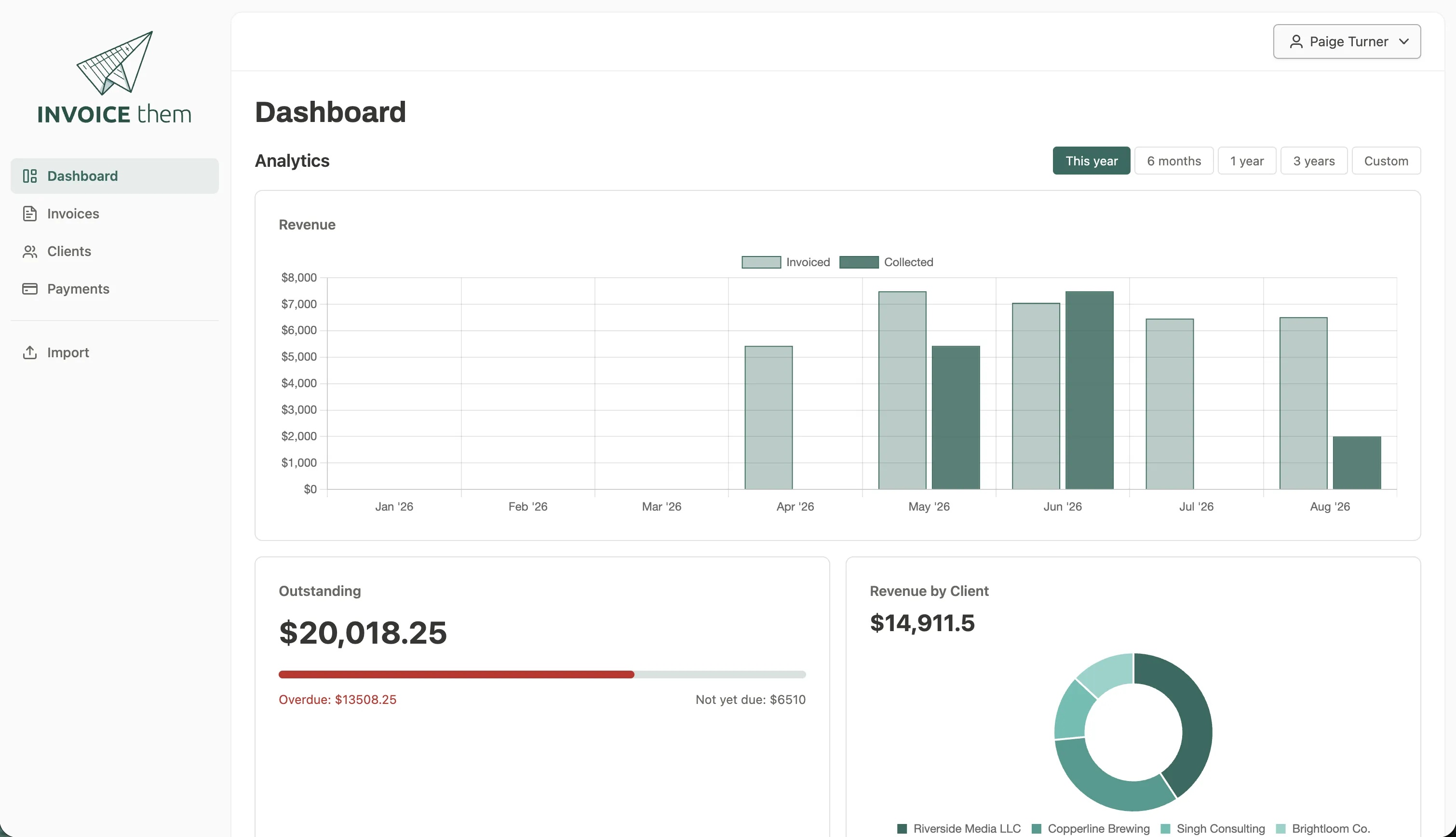
- Dashboard shows outstanding, overdue, and draft totals at a glance
- Record payments (full or partial) — balance updates automatically
- See all invoices per client in one place
Works the way you work.
- Set your hourly rate, tax rate, and payment terms once — every new invoice pre-fills from them
- Default invoice notes so your payment instructions are always there
- Import invoices from a CSV — migrate from spreadsheets in minutes
- Duplicate any invoice as a starting point for a new one
- Manage your client list with contact details and company info
Mobile-ready. Dark mode included.
Works on your phone. Respects your eyes at 2am.
Three steps. That's it.
Set up your profile
Add your info. Takes 2 minutes. Every invoice pre-fills from it — your rate, tax, terms, and payment notes.
Create and send an invoice
Pick a client, add line items, hit send. They get a PDF. Or share a link — no account needed on their end.
Track and get paid
Log payments. See what's outstanding. Know where you stand. Partial payments, full payments — all tracked.
Too busy to invoice? Tell your AI to.
InvoiceThem works inside Claude, ChatGPT and Cursor. Say what you did. It drafts the invoice. You say send.
- Drafts until you say send. Nothing goes to a client without your yes.
- You pick what it can do. Read only, or read and draft.
- Disconnect anytime. Remove it from your AI app, or revoke its key.
Works with Claude, ChatGPT, Cursor, VS Code, Claude Code and any app that speaks MCP.
Simple pricing. No client limits. No feature walls.
Other tools charge $23–$40/month and still limit how many clients you can have. We don't.
Start free. Upgrade when you need to. Cancel anytime.
Before you sign up.
No. You can create an account and start invoicing for free.
Not yet. For now, you log payments when they come in — bank transfer, check, Venmo, whatever. Online payments are on the roadmap.
Yes. Upload your logo and add your company name, address, and contact info in your profile. It appears on every invoice and PDF.
It generates a public URL you can send to your client. They can view the invoice and download the PDF without creating an account. You can revoke the link at any time.
Yes. We support CSV import. Download our template, fill it in, and upload — your invoices and clients will be created automatically.
Yes. Connect InvoiceThem to Claude, ChatGPT, Cursor or any app that supports MCP. Tell it what you did and it drafts the invoice. Setup takes a minute: invoicethem.io/agents.
No. Everything it makes starts as a draft. Before sending, it tells you the invoice number, amount and recipient, and waits for your yes.
You choose what it can do when you connect: read only, or read and draft. It only sees your own account, and you can disconnect it anytime.
You'll see a prompt to upgrade to Pro. Your existing invoices, clients, and data are never affected — you just can't create new invoices until the next month or until you upgrade.
Yes, at any time. If you cancel, you keep Pro access until the end of your current billing period. After that, your account moves to the free plan — your data stays intact.
Yes. You can export all your invoices, clients, and payment records as CSV files at any time from your profile. Your data is yours.